

Customers tap a button,
not type a message
Interactive messages put buttons, lists, catalogs, and receipts inside WhatsApp and every channel you run. Customers choose with one tap, and both sales and support move dramatically faster.
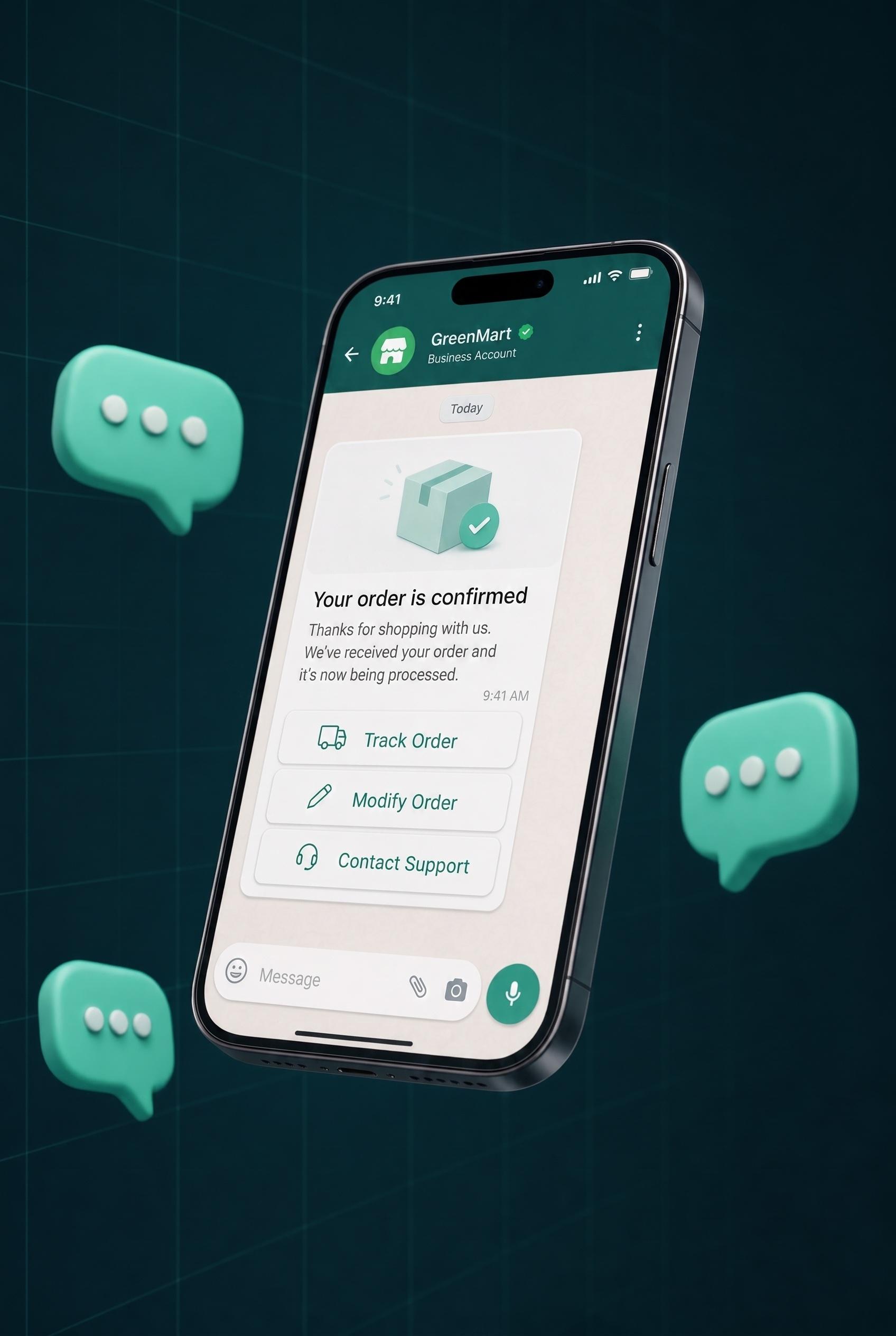
What exactly is an interactive message?
A normal message says something and stops there. An interactive message says something and hands the customer a one-tap way to respond: a button, a list of choices, a product to buy, or a pin to open on the map.
WhatsApp, Messenger, and Instagram have supported them officially for years, yet most businesses still treat chat as plain text. The ones who use them close sales faster and hand their support team hours back.
The rule is simple: the less typing you ask of a customer, the more likely they finish the journey.
Anatomy of an interactive message
Your order is ready for pickup at the Riyadh branch. Who will collect it?
2- 1Header: an image, video, or document that catches the eye
- 2Body: your message, a clear question with a definite answer
- 3Buttons: the ready answers, each one can trigger an automation
Same question, two completely different experiences
A customer wants to know where their order is. See the difference yourself.
Without interactive messages
~10 minutes... and 6 more messages before the answer arrives
With interactive messages
5 secondsOne tap, instant answer, zero agents involved
8 types, 3 jobs
Every type solves a real problem: it speeds up a reply, closes a sale, or runs an entire operation on its own.
Respond faster
Instead of making customers type and wait, hand them ready options to tap.
Button messages
Up to 3 buttons per message
A normal message carrying up to 3 ready-made buttons. The customer taps instead of typing, and every button can fire a full automation behind it: order tracking, booking changes, agent handoff.
- Order confirmation and changes
- Booking and rescheduling
- Post-service satisfaction check
List messages
Up to 10 organized options
When 3 buttons are not enough: a clean dropdown holding up to 10 options grouped under headers. Departments, branches, services, or plans, without drowning the customer in long messages.
- Support departments
- Branch or service pickers
- Menus and pricing plans
Sell more
Product, photo, buy button, and receipt, all inside the conversation itself.
Product promos
Image + copy + buy button
A complete marketing message: product image, offer copy, and a "Shop now" button. Built for launches, sales, and abandoned-cart reminders.
- New product launches
- Seasonal flash sales
- Abandoned-cart reminders
🔥 40% off running sneakers
Product catalog
Your whole store in the chat
Customers browse your products with photos and prices, build a cart, and place the order, all without leaving WhatsApp. Syncs with your Salla, Zid, or WooCommerce store.
- Selling straight from WhatsApp
- Showing new collections
- E-commerce store sync
Summer Collection 2026
12 items · Tap to browse
Payment receipts
Auto-receipt for every transaction
The moment a customer pays, a formatted receipt with the amount and transaction number arrives automatically. More trust, fewer "did my payment go through?" calls.
- Instant payment confirmation
- Booking and deposit receipts
- Subscription invoices
✅ Payment received successfully
Run operations
Verification, documents, and map pins, without a single phone call.
OTP verification
Cheaper and faster than SMS
Send verification codes on WhatsApp instead of SMS: lower cost, higher delivery, one-tap copy, with an expiry window you control.
- Sign-up and login confirmation
- Pre-shipping order checks
- Verification before sensitive actions
🔐 Your code:
Valid for 5 minutes
Rich media
PDF, images, video, audio
PDF invoices, explainer videos, product photos, and voice notes, cleanly delivered, whether an agent sends them manually or a flow sends them automatically.
- A PDF invoice after every order
- A how-to video after purchase
- Price catalogs and profiles
Invoice-5621.pdf
128 KB · 1 page
Location sharing
Branch or delivery point on the map
Send your branch pin in one tap, or collect the customer pin for delivery. They open the map and navigate, no "where exactly?" back-and-forth.
- Branch pin for new customers
- Collecting delivery locations
- Nearest-branch guidance
📍 Riyadh Branch
What does it look like in a business like yours?
Four real journeys, every step powered by an interactive message running on its own.
Online store
Restaurant
Clinic
Delivery company
Where do you send them from? Anywhere in Inboxy
No JSON, no code. Every type has a visual editor with clearly labeled fields.
The Inbox
Agents send buttons, lists, and media right from the conversation window.
Automations
Every button routes to a different path in a visual flow, zero code.
The AI agent
The AI sends the right interactive message at the right moment.
Campaigns
Image and button offers to thousands of customers via approved templates.
Try it in your very next conversation
Turn on interactive messages across WhatsApp and every channel in minutes with Inboxy, and feel the difference on day one.